Reduce lab admin
Spend less time on lab admin, more on science.
A surprising amount of lab time goes on admin nobody enjoys: hunting for an SDS, answering 'is the centrifuge free?' for the tenth time, chasing service dates, updating the inventory sheet. LevelSixLabs takes the repetitive jobs off your plate by letting the whole team self-serve from one place.
- Self-serve answers, fewer interruptions
- Find SDS files in seconds
- Automated expiry and service reminders
- Scan-and-go QR workflows
The cost of the status quo
- The same questions land in Teams and email all day
- Finding an SDS means digging through folders
- Booking shared kit is a chain of emails
- Someone manually tracks every expiry and service date
- Updating the inventory is a chore people skip
- Reporting a fault means catching the right person
How LevelSixLabs helps
Answers without asking
All plansAnyone can search the inventory, find an SDS, or check what's booked — so the same questions stop landing on one person.
Scan-and-go
All plansQR labels on equipment open the record on a phone — view details, book it, or report a fault without finding a desk.
Reminders run themselves
All plansDaily checks email admins about expiring chemicals, low stock and upcoming service — no manual tracking.
Less back-and-forth
Growth plan and upBooking confirmations by email, an optional Slack or Teams channel, and a private calendar link that puts your bookings in Outlook, Google or Apple Calendar.
Faster onboarding
Growth plan and upNew starters find what they need themselves instead of interrupting senior staff.
Works on the bench
All plansMobile-first, installable to the home screen — admin tasks get done where the work happens.
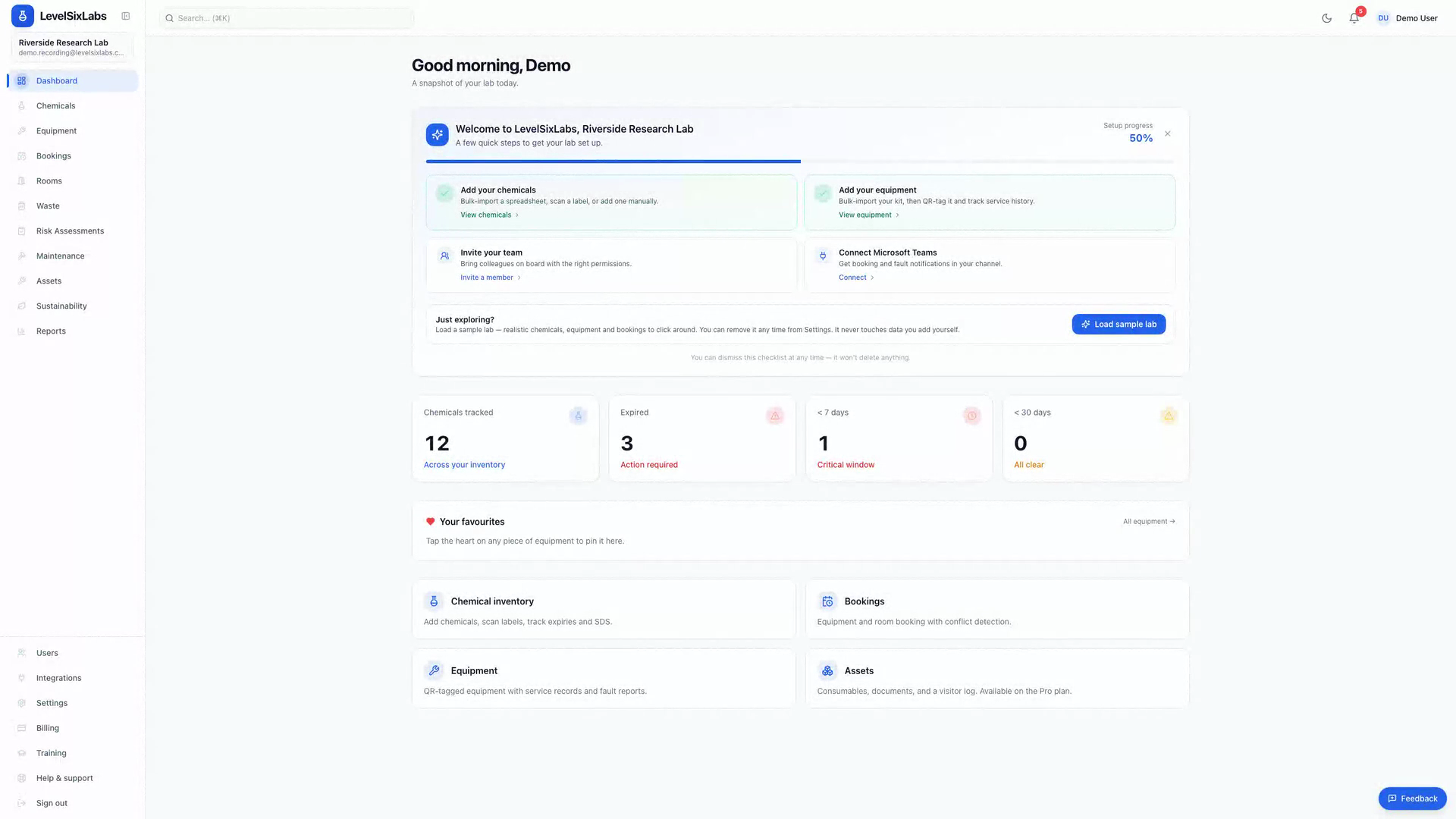
See it in action
One place, less chasing
Inventory, booking, equipment records and reminders working together so routine admin takes care of itself.
- Self-serve search and booking
- Automated expiry and service reminders
- QR scan to record or report
What changes for your lab
- Fewer repetitive interruptions for senior staff
- Reminders replace manual tracking
- People help themselves from any phone
- Routine admin stops piling up
Explore the modules behind this
Reduce lab admin — common questions
Will the team actually use it?+
It's built to be low-friction: mobile-first, no app to install, QR scan-and-go, and search that just works. The point is fewer steps than the spreadsheet-and-email status quo.
Which reminders are automated?+
Daily digests cover chemicals expired or expiring and consumables at their reorder threshold; service reminders fire 14 and 7 days before a service is due; booking confirmations send when a booking is made. Nothing to configure — they run from the day your records are in.
Do notifications need extra setup?+
No. In-app notifications and email both work from day one, and each person chooses which emails they want in their own notification settings. Slack and Microsoft Teams are optional extras an admin switches on for the whole lab if you want alerts in a channel.
Can students have limited access?+
Yes — role-based permissions mean students or visitors see only what they should, reducing the risk of someone changing the wrong thing.
Ready to get your lab out of spreadsheets?
See it in a founding lab pilot.
A 60-day, founder-led pilot with hands-on implementation. Founding members get 25% off their first year.